


Company News
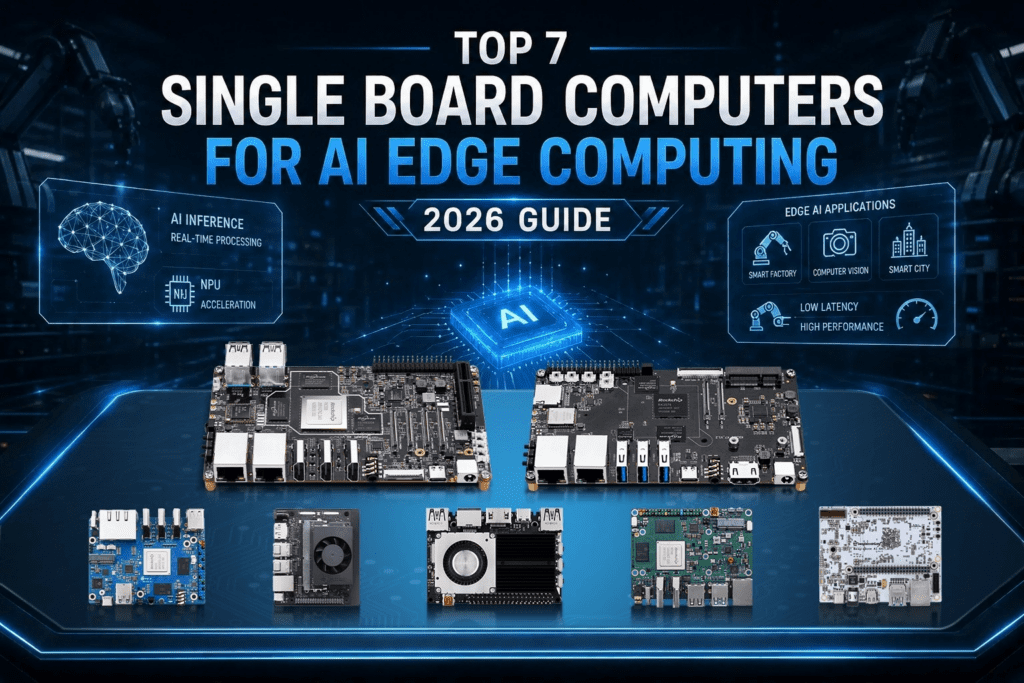
Top 7 Single Board Computers for AI Edge Computing (2026 Guide)
May
The market for edge AI hardware has shifted rapidly. Only a year or two ago, “edge AI” was often a buzzword for underpowered boards struggling with basic object detection. In 2026, we will have a diverse ecosystem of ARM-based Single Board Computers (SBCs) capable of running heavy inference workloads locally, eliminating the latency and privacy risks of the cloud.
The question for engineers today isn’t just about raw power; it’s about finding the specific silicon that fits your project’s power envelope, thermal constraints, and software stack.
This guide reviews seven SBCs leading the industry in 2026, ranging from hobbyist-friendly entry points to high-reliability industrial modules. We focus on the metrics that actually impact deployment: NPU TOPS, memory bandwidth, and ecosystem maturity.
What to Look for in an AI Edge Computing SBC
Before diving into the list, it helps to know what separates a decent SBC from one that’s genuinely useful for AI inference work.
NPU TOPS (Tera Operations Per Second): This number tells you how fast the onboard neural processing unit can handle inference tasks. For lightweight models, I think YOLOv8 on a small input of 4–6 TOPS is workable. If you’re running computer vision pipelines or local LLMs, you’ll want more.
Power consumption: Edge devices usually run on constrained power budgets. A board that draws 25W continuously isn’t ideal for a battery-backed deployment or a passive-cooled enclosure.
Memory bandwidth: Large models need room to breathe. LPDDR5 helps, but the real ceiling is often how much bandwidth the NPU can actually use.
Software ecosystem: Hardware specs are only as good as the software that supports them. Boards with RKNN-Toolkit2 support, TensorFlow Lite compatibility, or active Ubuntu 24.04 support are easier to work with long term.
I/O and connectivity: Dual Gigabit Ethernet is increasingly common on industrial-grade SBCs. If you’re building a smart factory gateway or NVR setup, that matters.
With those in mind, here’s the list.
1. Kickpi K8 — RK3588 | 6 TOPS NPU
Best for: Computer vision, NVR systems, edge AI gateway deployments
The Kickpi K8 is based on the Rockchip RK3588, an octa-core chip that has become something of a benchmark for ARM-based AI boards in 2026. The integrated 6 TOPS NPU is more than enough for most real-world inference workloads. At the same time, media engine support for 8K video decoding opens the door for high-resolution video analysis at the edge.
What makes the K8 stand out from other RK3588 boards is not just specs, it’s the combination of dual Gigabit Ethernet, multiple PCIe lanes, and a layout aimed at industrial use cases. If you’re building an AOI defect detection system or a smart retail terminal, the K8’s I/O flexibility gives you real options.
RKNN-Toolkit2 support is solid, and Ubuntu 24.04 runs without major issues. YOLOv8 inference on the NPU is noticeably faster than CPU-only alternatives, and the board keeps power draw reasonable even under continuous load.
Where it stands out: industrial deployments, NVR storage controllers with AI vision, and any project where you need dual Ethernet alongside a capable NPU.
Worth noting: Cooling matters. Under sustained AI workloads, passive cooling isn’t always enough. A small active heatsink goes a long way.
2. Kickpi K7 — RK3576 | 6 TOPS NPU
Best for: Mid-range edge AI, automotive infotainment, smart home applications
The RK3576 is one step down from the RK3588 in Rockchip’s family of chips, but not all the way down. In fact, for certain project types, it makes more sense than its bigger sibling.
The K7 carries the same 6 TOPS NPU as the K8, which means inference performance for standard models is comparable. Where the two boards differ is in raw CPU throughput and memory ceiling; the RK3576 tops out a bit lower, but it also draws less power and comes in at a lower price point.
For automotive infotainment development boards or smart home hubs where you need AI inference without the heat output of a flagship chip, the K7 is worth a serious look. The Rockchip RK3576 NPU benchmark numbers in 2026 are competitive enough that you’re not leaving much on the table for most edge AI tasks.
The RK3576 vs. RK3588 for edge AI debate comes down to this: if you need maximum CPU headroom or 8K media processing, go RK3588. If you care more about power efficiency and cost, the RK3576 is the smarter choice.
Where it stands out: budget edge AI development, automotive HMI boards, and applications with thermal management as a concern.
3. NVIDIA Jetson Orin Nano — 40 TOPS
Best for: High-performance inference, robotics, demanding computer vision pipelines
The Jetson Orin Nano is the benchmark that most other boards get compared to. NVIDIA’s CUDA ecosystem is mature, the developer documentation is thorough, and the Orin Nano’s 40 TOPS puts it in a different performance tier for demanding workloads.
Running local LLMs on edge AI boards? The Orin Nano handles it better than most alternatives on this list. Medical technology AI applications that require fast, deterministic inference also benefit from the platform’s software maturity.
The catch is cost. In a rockchip rk3588 vs nvidia jetson cost comparison, Rockchip-based boards come out significantly cheaper, sometimes by a factor of three. If your budget is fixed and your workloads are moderate, that gap matters.
Where it stands out: high-performance inference, robotics, and any use case where the CUDA ecosystem gives you a meaningful advantage.
Worth noting: For many standard edge AI tasks, you’re paying for performance headroom you may not need. The RK3588 vs Jetson Orin Nano AI performance gap narrows considerably for YOLOv8 and similar workloads.
4. Orange Pi 5 Plus — RK3588 | 6 TOPS NPU
Best for: Hobbyists, prototyping, development work on a budget
The Orange Pi 5 Plus gives you the same RK3588 chip as the Kickpi K8 at a lower price, which makes it a popular starting point for developers who want to experiment with RKNN-Toolkit2 before committing to a production board.
It’s not built for industrial environments; the build quality and connector selection reflect its hobbyist target market. But if you’re writing an RKNN-Toolkit2 tutorial for RK3588 or evaluating TensorFlow Lite vs Rockchip NPU SDK performance, this board gives you the hardware you need without a heavy investment.
Ubuntu 24.04 support for RK3576/RK3588 boards from the Orange Pi community has improved considerably, and the active forum ecosystem means you’re unlikely to get stuck on a driver issue for long.
Where it stands out: development, prototyping, and learning the Rockchip AI stack before moving to a production-ready board.
5. Khadas VIM4 — Amlogic A311D2 | 5 TOPS NPU
Best for: Compact AI inference, media applications, and developers who prefer Khadas’ ecosystem
Khadas makes genuinely well-designed boards. The VIM4 runs the Amlogic A311D2, which delivers 5 TOPS of NPU performance in a compact form factor with solid thermal management.
In a Khadas Vim3 vs Kickpi K8 for AI comparison, the K8 wins on raw throughput and I/O. But the VIM4’s build quality, software support, and compact size make it a strong pick for deployment scenarios where physical space matters, think embedded retail terminals or compact edge gateways.
Khadas’ OS images are typically clean and well-maintained, which reduces the time you spend on software setup and lets you focus on the actual application.
Where it stands out: compact edge deployments, developers already in the Khadas ecosystem, and applications where form factor matters.
6. Radxa Rock 5B — RK3588 | 6 TOPS NPU
Best for: NAS, edge compute nodes, development with M.2 storage needs
The Rock 5B is a good, solid RK3588 choice, with a layout that leans toward storage connectivity. It includes M.2 slots for NVMe SSDs, which makes it a natural fit for NVR storage controllers with AI vision or edge compute nodes that need fast local storage alongside inference capability.
Performance numbers for the RK3588 NPU are consistent across boards that use the same chip, so the Rock 5B matches the K8 on pure inference benchmarks. The differentiator here is storage; if your application writes video or sensor data locally while running AI analysis on the stream, the Rock 5B’s storage setup is convenient.
Community support is active, and the board works well with the broader Rockchip software ecosystem.
Where it stands out: applications that combine AI inference with local data storage, edge NVR systems, and developers who want NVMe support without an add-on board.
7. BeagleBone AI-64 — TDA4VM | ~8 TOPS
Best for: Automotive AI, industrial embedded, safety-critical applications
The BeagleBone AI-64 is based on Texas Instruments’ TDA4VM processor, a processor designed for automotive and industrial AI applications. If you’re building a system that needs to meet functional safety requirements or run in a harsh environment with wide temperature tolerance, most consumer-grade ARM boards aren’t the right fit.
The AI-64 fills that gap. It’s more expensive and less accessible than a Rockchip or Amlogic board, but it’s built to different specifications. For edge AI gateway for smart factory use cases where uptime and environmental resilience matter, that tradeoff is worth it.
Software maturity is moderate; the TI ecosystem has solid documentation, but it’s not as plug-and-play as the Rockchip stack for general AI development.
Where it stands out: It’s great for industrial embedded AI, automotive, and projects where regulatory compliance or environmental specs dictate the hardware decision.
Side-by-Side: Quick Comparison
So here’s a quick rundown of how these boards compare on the factors that matter most for edge AI work:
- Kickpi K8 (RK3588): 6 TOPS NPU, dual GbE, 8K video, extensive industrial I/O, overall best for versatile edge AI
- Kickpi K7 (RK3576): 6 TOPS NPU, lower power, good price/performance, best for budget-constrained builds
- Jetson Orin Nano: 40 TOPS, CUDA ecosystem, premium price, best when you need the maximum inference performance
- Orange Pi 5 Plus (RK3588): 6 TOPS NPU, budget price, community support – best for development and prototyping
- Khadas VIM4: 5 TOPS NPU, small form factor, clean software, best for space-constrained deployments
- Radxa Rock 5B (RK3588): 6 TOPS NPU, NVMe storage slots – good for inference + local data storage
- BeagleBone AI-64(TDA4VM): ~8 TOPS, industrial grade, best for automotive and safety-critical use cases
Which Board Should You Actually Pick?
The honest answer depends on your specific use case more than any single spec.
If you’re building a production edge AI system for a factory or retail environment, the Kickpi K8 covers most requirements: dual Ethernet, solid NPU throughput, and a layout that works in industrial deployments.
If you’re building a cheaper alternative to Nvidia Jetson for industry on a budget, RK3588-based boards like the K8 or Rock 5B deliver competitive inference performance at a fraction of the Jetson price.
If you need maximum inference headroom and budget is secondary, the Jetson Orin Nano is still the benchmark for demanding AI workloads.
If you’re developing and prototyping, the Orange Pi 5 Plus gives you full access to the RK3588 ecosystem without a large upfront investment.
If automotive or industrial compliance requirements apply, the BeagleBone AI-64 is built for that environment.
A Note on Software: The Part Most Comparisons Skip
Hardware specs only get you so far. What actually determines how fast you can ship is the software stack.
For RK3588 and RK3576 boards, RKNN-Toolkit2 is the primary tool for converting and deploying models. It handles ONNX, TensorFlow Lite, and PyTorch models reasonably well, and the RK3588 NPU delivers measurable speedups for YOLOv8 inference compared to CPU-only execution.
Good: In 2026, the support for RK3576 SBCs in Ubuntu 24.04 was improved. If you want a current LTS kernel and security updates without maintaining a custom build
For anyone running local LLMs on edge AI boards, the memory ceiling is usually the binding constraint rather than the NPU itself. Quantized models in the 1B–7B parameter range are more realistic on current hardware than full-precision large models.
TensorFlow Lite vs Rockchip NPU SDK is a common question; the short version is that RKNN-Toolkit2 typically outperforms TFLite on these chips for NPU-accelerated tasks, but TFLite gives you more portability across hardware.
Final Thoughts
The edge AI board market has matured considerably. You’re no longer choosing between performance and affordability; there are solid options at every price point, from the sub-$100 RK3576 boards to the Jetson Orin Nano for demanding applications.
The Rockchip ecosystem, in particular, has come a long way. Boards like the Kickpi K8 and K7 sit in a useful middle ground: enough NPU performance for real production workloads, reasonable power consumption, and software tooling that doesn’t require a week of setup.
If you’re evaluating boards for a specific project, the best approach is to identify your primary bottleneck, whether that’s NPU TOPS, power draw, I/O, or software ecosystem, and work backward from there. The specs in this guide should give you a starting point.
For more details on any of the Kickpi boards covered here, the full spec sheets and hardware documentation are available at kickpi.com.
Frequently Asked Questions
What is the best SBC for AI edge computing in 2026?
For most use cases, RK3588-based boards like the Kickpi K8 are the best combination of NPU performance, connectivity, and cost. For demanding applications, the Jetson Orin Nano remains the performance leader.
How does the RK3588 NPU compare to the Jetson Orin Nano?
The Orin Nano’s 40 TOPS beats the RK3588’s 6 TOPS on raw throughput. However, for common edge AI workloads such as object detection or image classification, the performance difference is smaller in practice than the TOPS numbers would indicate. The cost difference is substantial.
Can you run large language models on edge AI boards?
Small quantized models (1B–7B parameters) run on current edge AI hardware with enough RAM. The RK3588 with 16GB LPDDR5 can handle several smaller LLMs. Full-scale models aren’t realistic on current edge hardware.
What is RKNN-Toolkit2 and why does it matter?
RKNN-Toolkit2 is Rockchip’s SDK for converting and deploying AI models on RK3588, RK3576, and related chipsets. It’s the primary way to run optimized inference on the onboard NPU, which provides a big performance boost over CPU-only execution.
Is the RK3576 good enough for edge AI, or should I always go with RK3588?
The RK3576 has the same 6 TOPS NPU as the RK3588 and can handle most common edge AI inference tasks just fine. Where the RK3588 excels is in CPU throughput, memory ceiling, and media processing. If you’re cost-sensitive or need lower power consumption, the RK3576 is a good option.
