


Company News
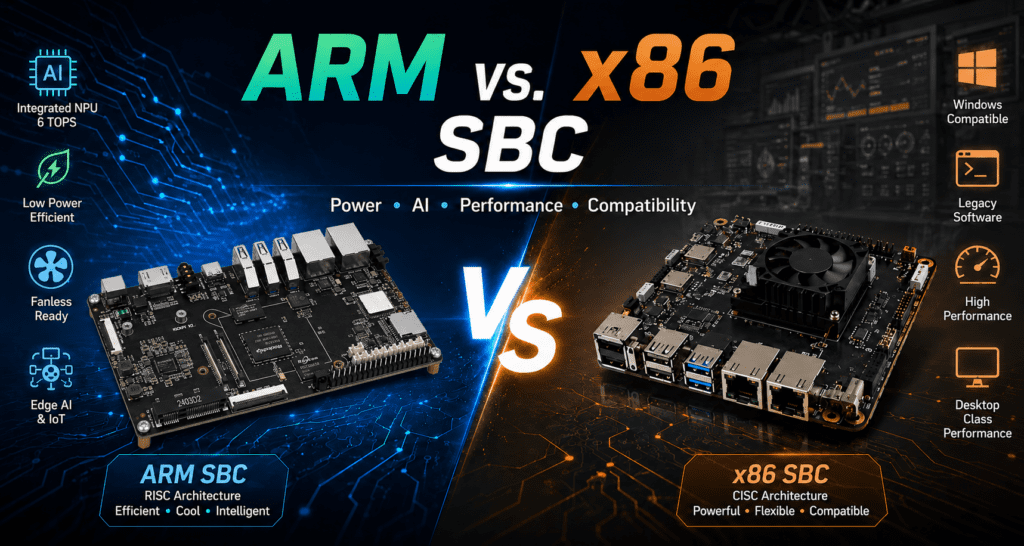
ARM vs. x86 SBC: Which Architecture is Better for Your Application?
Jun
The honest answer is that it depends, but that answer is useless without understanding what it depends on. ARM and x86 aren’t just two different chip families. They represent fundamentally different design philosophies, and those differences show up in ways that matter a lot once you’re picking hardware for a real project.
This isn’t an academic comparison. ARM processors dominate smartphones, embedded systems, and increasingly industrial IoT because of specific engineering tradeoffs that suit those environments. x86 holds its ground in certain industrial PC and legacy software scenarios for equally specific reasons. Knowing which tradeoff matters for your application is the actual decision you need to make.
We’ll work through that decision below, covering power consumption, thermal behavior, software compatibility, edge AI performance, and the scenarios where each architecture genuinely wins. If you want a broader look at current ARM board options, the Top 10 ARM Development Boards in 2026 guide is a good reference alongside this piece.
The Architecture Difference That Actually Matters
ARM uses a Reduced Instruction Set Computer (RISC) design. The core idea is simplicity: a smaller set of instructions, each designed to execute in a single clock cycle. x86 is a Complex Instruction Set Computer (CISC) architecture with more instructions, more complexity per cycle, and a longer heritage of backward compatibility stretching back to the late 1970s.
In practice, the RISC vs. CISC distinction has blurred at the microarchitecture level; modern x86 chips translate complex instructions into simpler internal micro-operations anyway. But the design philosophy still produces real differences in silicon area, power efficiency, and thermal output.
ARM chips are smaller. Fewer transistors for a given level of computational throughput means less leakage current, less heat generation, and lower power draw at the wall. x86 chips pack more capability into each instruction, which translates to higher single-core performance ceilings but also higher thermal design power (TDP) and more cooling overhead.
The RISC design philosophy wasn’t chosen because it’s theoretically elegant. It was chosen because smaller, simpler silicon runs cooler and sips less power, which matters enormously in embedded and edge deployments.
This is why the ARM vs. x86 debate looks so different depending on your use case. A cloud server room has active cooling, stable power, and massive compute demands. An industrial edge gateway has a constrained enclosure, a DC power budget, and a requirement to run reliably for years without maintenance. Those two environments reward very different architectural choices.
Power Consumption and Thermal Behavior
This is where ARM has the clearest advantage for embedded and edge deployments, and the numbers are meaningful rather than marginal.
A Rockchip RK3588-based ARM board running under a realistic edge AI workload draws somewhere between 8W and 15W. An Intel Atom N100 x86 SBC under equivalent load draws 15W–25W, and that’s one of Intel’s most efficient embedded-class chips. Step up to a Core-series x86 board, and you’re looking at 35W–65W TDP before you start counting memory and storage.
That gap matters in several ways at once. Higher power draw means more heat, which means you either need active cooling (fans, which can fail in 24/7 industrial deployments) or a much larger passive heatsink. It means a bigger power supply, a higher operational electricity cost over a multi-year deployment, and more strain on battery backup systems in remote installations.
For a fanless edge gateway running inside a sealed enclosure on a factory floor, the thermal difference between an 8W ARM board and a 25W x86 board isn’t just a spec sheet number; it determines whether the design is physically viable without active cooling.
The Kickpi K7 (RK3576) is a good illustration of what ARM thermal efficiency looks like in practice: sustained compute workloads including NPU inference, dual Ethernet, and active I/O all within a thermal envelope that supports fanless industrial enclosures.

ARM vs. x86 SBC: Key Tradeoffs at a Glance
The table below summarizes how the two architectures compare across the factors that matter most for SBC selection in embedded and industrial applications.
| Factor | ARM SBC | x86 SBC |
| Typical TDP | 5–15W (embedded), up to 25W high-end | 15–25W (Atom/N-series), 35–65W+ (Core-series) |
| Fanless operation | Common; designed for it | Possible on low-end chips; difficult on mid/high |
| Performance per watt | High; RISC efficiency advantage | Lower; higher compute ceiling but at higher power cost |
| Single-core raw performance | Competitive (A76 cores); gap closed significantly since 2022 | Still ahead on peak single-thread workloads |
| AI inference (NPU) | Integrated NPU on modern SoCs (6 TOPS on RK3576/RK3588) | No integrated NPU; requires external accelerator for AI |
| Linux support | Strong; Ubuntu/Debian LTS well-supported on major SoCs | Excellent; most distros support x86 natively |
| Windows support | Limited; Windows 11 on ARM has app compatibility gaps | Full Windows 10/11 support; no compatibility issues |
| Legacy software | Recompilation usually required; some binaries won’t port | Runs existing x86 binaries natively with no changes |
| Docker / containers | Well-supported; multi-arch images widely available | Well-supported; x86 images universally available |
| Board cost (typical) | Lower; competitive at every performance tier | Higher, especially for industrial-grade options |
| Long-term supply | Strong from industrial ARM SoC vendors (Rockchip, NXP, TI) | Dependent on Intel/AMD roadmaps; some EOL risk on embedded chips |
The Software Question: Where x86 Still Holds Ground
The most honest argument for choosing an x86 SBC in 2026 isn’t performance, it’s software compatibility. If you have existing software that you need to run and it was compiled for x86, you have two options: run it on x86 hardware, or recompile it for ARM. That second option is often possible, but not always painless.
Legacy industrial software is the clearest example. Many SCADA systems, HMI applications, and industrial control tools were written for Windows on x86 and have never been ported. Some of them are still actively maintained for x86 Windows only. If your project depends on one of these tools and the vendor doesn’t offer an ARM build, an x86 SBC is the practical path.
The same logic applies to Windows itself. Windows 11 runs on ARM, but the compatibility story isn’t clean. x86 app emulation works for most things, but not all, and performance under emulation takes a hit. If you specifically need full Windows compatibility with no surprises, x86 is still the safer choice.
Linux is a different story. ARM Linux support has matured substantially, and most of the software stack that matters for industrial IoT, Modbus stacks, OPC-UA clients, MQTT brokers, Node-RED, and Python data pipelines run on ARM Linux with no modification. Docker on ARM is well-supported, multi-architecture container images are standard practice, and the Ubuntu/Debian ecosystem covers ARM as a first-class target.
The software argument for x86 is strongest when you have specific existing binaries that must run unchanged. For new development on Linux, it’s largely moot that the ARM ecosystem has closed that gap.
One area where this plays out practically: running Docker containers on an ARM SBC. Most major open-source projects publish multi-arch images that run natively on ARM without any changes. Where you hit friction is with older or proprietary images that were only ever built for x86. That’s a solvable problem for most modern projects, but worth auditing before committing to an ARM platform. For context on what the current generation of ARM SoCs handles in practice, Kickpi’s K7 developer and industry breakdown covers real software stack considerations.
Edge AI: The Area Where ARM Has Pulled Ahead
If your application involves any on-device AI inference, machine vision, predictive maintenance, anomaly detection, or object classification, the architecture comparison shifts significantly in ARM’s favor.
Modern ARM SoCs designed for embedded and edge markets integrate dedicated NPUs (Neural Processing Units) directly on the chip. The Rockchip RK3576 and RK3588 both carry 6 TOPS NPUs that handle INT8 and INT4 inference efficiently. This means a board like the
x86 SBCs have no equivalent. Intel’s embedded Atom and N-series chips don’t include NPUs. Intel’s OpenVINO toolkit can use the integrated GPU for inference, which helps, but the efficiency story doesn’t compare to a purpose-built NPU at the SoC level. To get serious AI inference performance on an x86 SBC, you’re adding a USB or PCIe AI accelerator, more cost, more power draw, and more potential failure points.
This is one of the reasons ARM has taken the dominant position in edge AI deployments. The semiconductor industry’s trajectory is clear: Qualcomm, MediaTek, Apple, Rockchip, and Samsung have all integrated increasingly capable NPUs into ARM SoCs, while Intel’s embedded chip NPU roadmap lags the mobile-class ARM chips by several years. If you’re designing a system for edge AI today and expecting to build on it over a 5-year product lifecycle, the AI application patterns that ARM SBCs support are a meaningful head start.
Industrial Automation: Making the Right Call
Industrial applications add requirements that don’t show up in standard benchmark comparisons: wide operating temperature, 24/7 reliability, long-term supply guarantees, and specific bus interfaces like CAN and RS-485.
In these dimensions, industrial-grade ARM boards have caught up with and in some cases surpassed x86 alternatives. The Rockchip RK3576 and RK3588 SoC families, used in boards like the Kickpi K7 and K8, are rated for extended temperature operation, come with industrial-oriented I/O (dual GbE, CAN, serial interfaces), and are available from suppliers who commit to multi-year supply continuity, something that’s become harder to guarantee in the x86 embedded market as Intel has rationalized its embedded chip lineup.
The Kickpi K7’s industrial design rationale is worth reading if you’re evaluating ARM for a production industrial deployment; it covers the specific engineering decisions around temperature validation, BSP support timelines, and OEM customization that separate a genuine industrial board from a development board that happens to be housed in a metal enclosure.
The one area where x86 holds a genuine industrial advantage is legacy system integration. If you’re extending a factory floor system that communicates with an x86 Windows HMI, adding an x86 SBC to the architecture is sometimes the path of least resistance. The question is whether the total cost, higher board cost, higher power, more cooling infrastructure, and worse AI inference capability is worth avoiding a software migration.
For most new industrial automation designs where the software stack is being built fresh, the industrial control use cases that ARM covers are comprehensive enough that x86 rarely wins on merit rather than inertia.
Which One to Choose: Use Case by Use Case
Rather than a blanket recommendation, here’s how the decision actually maps to common SBC application types.
Low-power IoT gateway
ARM, clearly. A gateway that aggregates sensor data, runs local analytics, and communicates with a cloud platform has no use for the extra compute headroom of an x86 chip and pays a real cost in power draw and thermal complexity. The Kickpi K7 (RK3576) or K8D (RK3588S2) with built-in 4G covers this architecture well.
Machine vision and edge AI
ARM, for the NPU advantage. A dedicated 6 TOPS NPU handles YOLOv8 and similar detection models efficiently without external hardware. For industrial AOI, camera-based quality control, or predictive maintenance with vibration/thermal sensor fusion, RK3588-based boards like the Kickpi K8 are a strong fit.
HMI panel with existing Windows software
x86, if the software is Windows-only and can’t be ported. ARM, if you’re building the HMI application fresh, Android on RK3588 handles touch interfaces and display management well, and the power savings in a panel PC that runs 24/7 are meaningful over its lifetime.
Home server or lab server
It depends on your workload. For NAS, media serving, and self-hosted apps with Docker, ARM is perfectly capable and cheaper to run. If you need to run x86-only software or want Windows as the host OS, x86 makes more sense. An Intel N100 SBC is a reasonable choice here; it’s efficient for x86 and runs Windows natively.
SCADA integration and legacy industrial systems
Evaluate your software dependencies first. If the SCADA client or historian software has a Linux/ARM build available, ARM is viable. If it’s Windows-only x86, an ARM SBC acting as a protocol gateway alongside an x86 HMI machine is a common hybrid architecture that gives you the efficiency of ARM where it’s appropriate.
Robotics and autonomous systems
ARM, in most cases. ROS 2 runs on ARM Linux without issues, and the NPU advantage for vision-based navigation and object detection is significant. The Kickpi board lineup spans the range from lighter RK3562-based boards for simpler control tasks up to RK3588 for full perception pipelines.
Where the Semiconductor Market Is Heading
It’s worth noting that the ARM vs. x86 debate looks different today than it did five years ago, and it’ll look different again in five years.
ARM’s share of the embedded and edge computing silicon market has grown consistently. Qualcomm’s Snapdragon X chips are competing directly with Intel in laptop-class performance. Apple’s M-series chips have demonstrated that ARM can match or beat x86 in sustained compute performance while drawing significantly less power. In the embedded and industrial segment, Rockchip, NXP, and Texas Instruments have built mature ARM SoC platforms with the industrial certifications, long-term supply commitments, and software ecosystems that serious customers need.
x86 hasn’t stood still. Intel’s N100 and N305 Atom successors are significantly more efficient than the older Atom and Celeron chips that gave x86 SBCs a bad reputation for power draw. But the architectural advantage of RISC is fewer transistors per unit of compute, better performance per watt is a structural reality, not a gap that better process node technology fully closes.
The practical implication for anyone making a hardware platform decision today: if you’re locking in a product architecture for a 5–7 year production run, the ARM software ecosystem is robust enough that it’s not a meaningful risk. The days of choosing x86 because you weren’t sure ARM Linux would be well-supported are over.
Choosing x86 for a new design in 2026 requires a specific justification, usually legacy software compatibility or Windows dependency. Without that justification, the default for embedded and edge work has shifted to ARM.
Putting It Together
ARM and x86 are both capable architectures, and neither is universally better. But the conditions under which each one is the right choice are clearer than most comparison articles make them sound.
ARM wins on power efficiency, thermal management, integrated AI inference, and cost, which covers the majority of embedded, IoT, edge computing, and industrial control applications being designed today. x86 wins when you have existing Windows software that must run unchanged, or when your application demands the peak single-core throughput that only high-clock x86 can deliver.
For new embedded and industrial designs where the software stack isn’t locked to x86, the decision has gotten easier over the past few years. The ARM ecosystem, particularly the Rockchip RK3576 and RK3588 platform is mature, well-documented, and backed by suppliers with industrial supply commitments. The Kickpi K7 and K8 sit at a useful point in that ecosystem: enough compute and I/O headroom for real production workloads, without the thermal and cost overhead of x86 alternatives.Full specifications and ordering details are on the Kickpi products page. For OEM or custom board requirements, the customized services page is the right starting point.
